




问题现象
在 Swoole 环境下,执行接口权限列表、权限校验等操作后,可能出现:
- 后台接口提示无权限访问。
- 已配置权限的接口仍然无法访问。
- 部分接口出现路由不存在或 404。
- 重启 Swoole 后暂时恢复,操作权限功能后再次出现。
问题原因
权限相关代码调用了:
$this->app->route->clear();该方法会清空当前运行环境中的路由规则。
Swoole Worker 为常驻内存模式,运行期间清空并重新加载路由会影响已经初始化的全局路由表。正确处理方式是直接读取启动时已经加载完成的路由列表,禁止在业务请求中清空、重新注册路由。
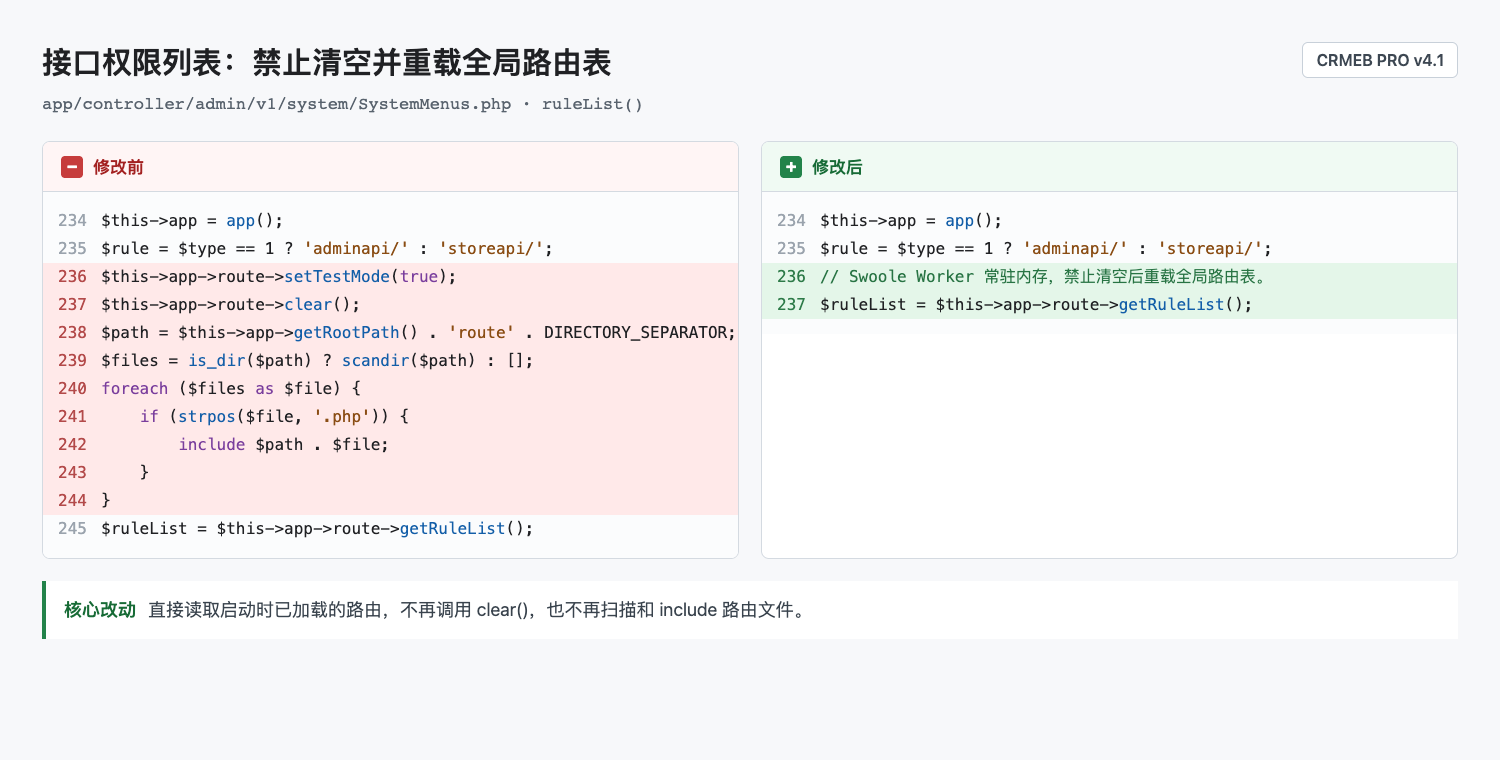
修改一:接口权限列表
文件:app/controller/admin/v1/system/SystemMenus.php
方法:public function ruleList($type = 1)
PRO v4.1 原始代码约在第 231 行。找到以下代码:
$this->app->route->setTestMode(true);
$this->app->route->clear();
$path = $this->app->getRootPath() . 'route' . DIRECTORY_SEPARATOR;
$files = is_dir($path) ? scandir($path) : [];
foreach ($files as $file) {
    if (strpos($file, '.php')) {
        include $path . $file;
    }
}
$ruleList = $this->app->route->getRuleList();
修改为:
// Swoole Worker 常驻内存,接口列表只能读取已加载路由,禁止清空后重载全局路由表。
$ruleList = $this->app->route->getRuleList();
也就是删除 setTestMode()、clear()、扫描路由目录和 include 路由文件的代码。
如下图:
修改二:权限名称解析
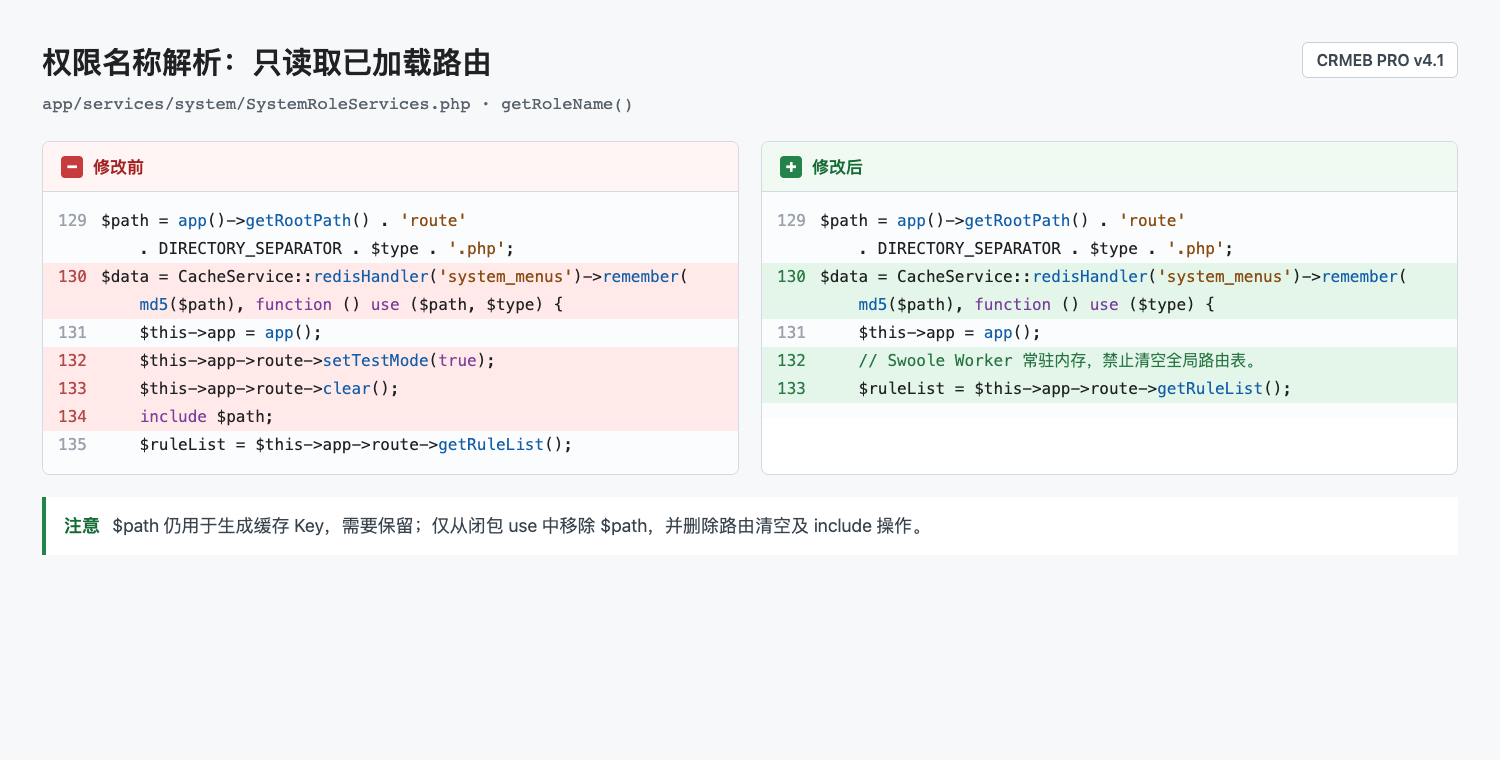
文件:app/services/system/SystemRoleServices.php
方法:public function getRoleName(string $rule, string $method = 'get', string $type = 'admin')
PRO v4.1 原始代码约在第 126 行。找到:
$data = CacheService::redisHandler('system_menus')->remember(md5($path), function () use ($path, $type) {
    $this->app = app();
    $this->app->route->setTestMode(true);
    $this->app->route->clear();
    include $path;
    $ruleList = $this->app->route->getRuleList();
修改为:
$data = CacheService::redisHandler('system_menus')->remember(md5($path), function () use ($type) {
    $this->app = app();
    // Swoole Worker 常驻内存,权限名称解析只能读取已加载路由,禁止清空全局路由表。
    $ruleList = $this->app->route->getRuleList();
如下图: